

Best 3D Modeling Software for Jewelry Design (2026)
Quick Picks
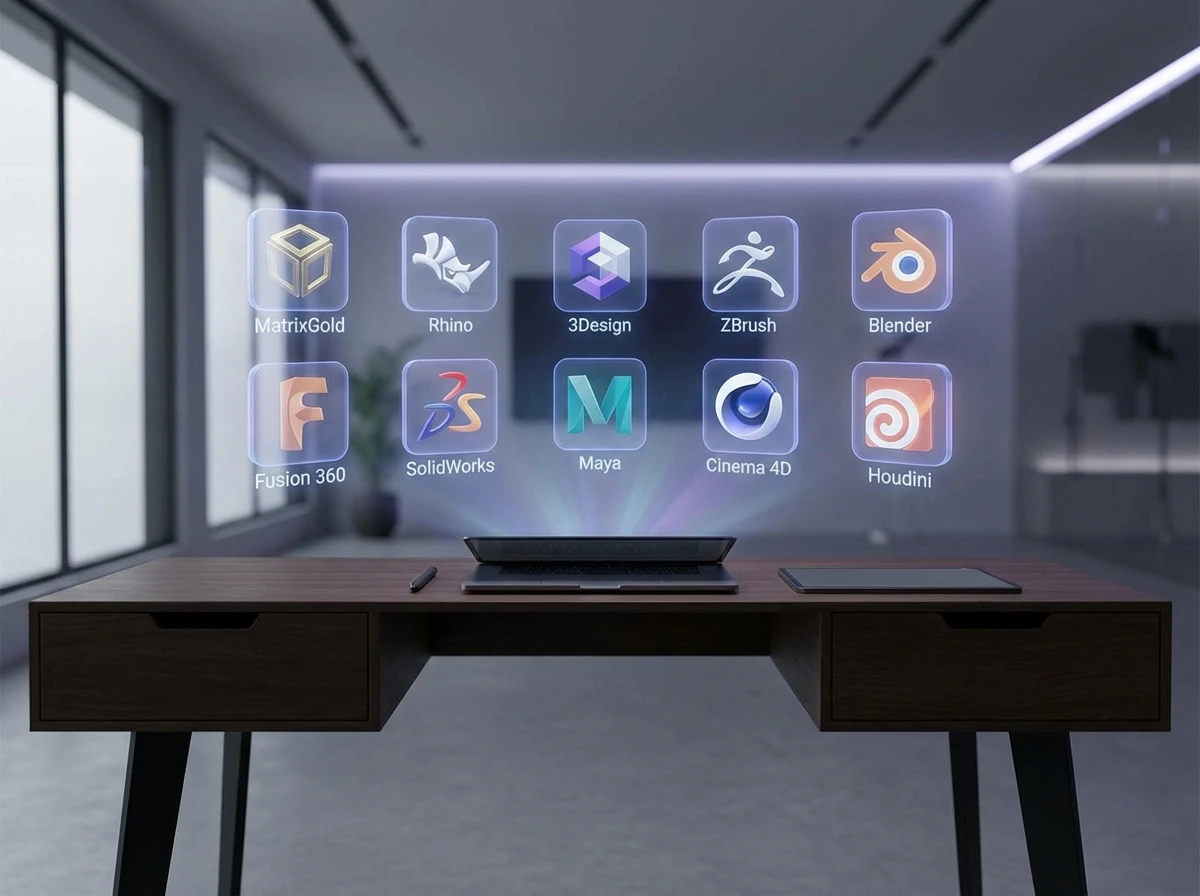
- Best overall for professional jewelry CAD: Rhino + MatrixGold
- Best for fast parametric workflows: 3Design
- Best affordable general modeler: Rhino
- Best for rendering and concept presentation: ZBrush
- Best for engineering-heavy teams: Autodesk Fusion
- Best free entry point: Blender
If you are still comparing the differences between broader tool categories, our article on 3d modeling software for jewelry can help you separate general 3D platforms from jewelry-specific CAD systems.
Comparison Table
| Rank | Software | Best For | Jewelry-Specific Tools | Learning Curve | Best Fit |
|---|---|---|---|---|---|
| 1 | MatrixGold | Production-ready jewelry CAD | Excellent | High | Established brands, serious designers |
| 2 | Rhino | Flexible core modeling | Moderate | Medium | Studios needing versatility |
| 3 | 3Design | Parametric jewelry design | Excellent | High | Custom and repeatable collections |
| 4 | ZBrush | Organic forms and sculpting | Limited | High | Statement and artistic jewelry |
| 5 | Blender | Budget-conscious concept work | Limited | Medium | Startups and freelancers |
| 6 | Autodesk Fusion | Engineering and precision assemblies | Limited | Medium | Technical teams and hybrid products |
| 7 | JewelCAD | Traditional jewelry CAD workflows | Strong | Medium | Bench-oriented production teams |
| 8 | CounterSketch | Retail customization | Strong | Low to medium | Stores offering custom orders |
| 9 | SolidWorks | Complex mechanisms and precision parts | Low | High | Engineering-led jewelry categories |
| 10 | Tinkercad | Absolute beginners | Very low | Low | Early experimentation only |
Top 10 Ranked Software Reviews
1. MatrixGold
MatrixGold is one of the strongest choices for brands that need jewelry-first CAD rather than general-purpose 3D modeling. It builds on Rhino and adds workflows specifically aimed at rings, stone layouts, pavé, parametric resizing, and manufacturing prep. For many professional jewelry teams, this is the benchmark.
Why it stands out: It reduces the gap between design intent and production execution. That matters when your pieces need to move from screen to sample with minimal correction.
- Excellent jewelry-specific toolset
- Strong for stone settings and ring construction
- Parametric editing saves time across collections
- Widely recognized by professional jewelry CAD users
Considerations:
- Higher cost than entry-level options
- Training time is real, especially for new teams
- Can be more software than a startup needs at first
Who it is for: Fine jewelry brands, custom studios, and manufacturers that need reliable production files.
Verdict: Best overall if your priority is professional jewelry CAD with serious production intent.
2. Rhino
Rhino remains one of the most practical platforms in jewelry because it is flexible, capable, and generally more affordable than many jewelry-specific systems. It does not hand-hold as much as MatrixGold, but skilled users can build almost anything in it.
Why it stands out: It gives you a strong balance of cost, capability, and broad industry adoption.
- Excellent modeling freedom
- Well suited to both concept and production geometry
- Broad plugin ecosystem
- Often a smart long-term investment for design teams
Considerations:
- Not jewelry-specific on its own
- Can require more manual workflow setup
- Beginners may need structured training
Who it is for: Independent designers, small brands, and studios that want flexibility without locking into a niche platform.
Verdict: Best value option for many professional users.
3. 3Design
3Design is a respected jewelry CAD platform known for parametric control and specialized tools. It is especially useful when you need to generate variations across sizes, stones, and collections without redrawing everything from scratch.
Why it stands out: It is built for repeatable workflows, which can be a major advantage for brands managing multiple SKUs.
- Strong parametric capabilities
- Jewelry-focused interface and functions
- Good for production consistency
- Useful for customizable collections
Considerations:
- Premium pricing can be a barrier
- Learning curve is not light
- Less common than Rhino in some markets
Who it is for: Brands building repeatable lines, custom engagement programs, or modular collections.
Verdict: A very strong pick if parametric design is central to your business.
4. ZBrush
ZBrush is not classic jewelry CAD, but it is excellent for sculptural, organic, and artistic forms. If your brand leans into texture, creature motifs, fluid shapes, or fashion-forward statement pieces, it can open up forms that are hard to achieve in standard CAD.
Why it stands out: It favors creativity and surface expression over strict jewelry engineering.
- Outstanding for organic sculpting
- Excellent texture control
- Useful for bold concept development
- Strong presentation value for distinctive designs
Considerations:
- Not ideal as a standalone production CAD tool
- Requires cleanup for manufacturing in many cases
- Less efficient for precise stone-setting workflows
Who it is for: Creative directors, sculptural jewelry brands, and artists working on expressive forms.
Verdict: Best used alongside a more technical CAD tool.
5. Blender
For teams looking for affordable 3D jewelry modeling software, Blender deserves attention. It is free, powerful, and improving constantly. Still, it is not jewelry-first software, so the value depends on your team’s ability to adapt it.
Why it stands out: Zero license cost makes it attractive for startups testing ideas before investing in higher-end software.
- No software license cost
- Strong modeling and rendering potential
- Large user community
- Good for concept development and visuals
Considerations:
- Limited jewelry-specific tools
- Can become inefficient for production detail work
- Requires careful export and file checking
Who it is for: Startups, freelance designers, and early-stage brands testing design directions.
Verdict: Best free entry point, but usually not the best endpoint.
6. Autodesk Fusion
Fusion is appealing if your jewelry overlaps with technical products, moving parts, wearables, or engineered closures. It handles precise dimensions well and can support a more mechanical design mindset.
Why it stands out: It is strong where engineering precision matters more than traditional jewelry workflows.
- Good dimensional control
- Useful for technical assemblies
- Strong for hybrid product categories
- Cloud-connected collaboration can help teams
Considerations:
- Not tailored to standard jewelry production tasks
- Less efficient for stone-heavy fine jewelry
- Can feel over-engineered for simple collections
Who it is for: Teams designing technical accessories, smart jewelry, or mechanism-based products.
Verdict: A niche but useful choice when engineering is part of the brief.
7. JewelCAD
JewelCAD has been around for years and still has loyal users in jewelry production environments. It is often appreciated for practical bench-oriented workflows and familiarity among experienced technicians.
Why it stands out: It is built with jewelry production in mind, not as a general 3D platform adapted later.
- Jewelry-focused workflow
- Useful for production-oriented teams
- Longstanding industry presence
- Can be efficient for experienced users
Considerations:
- Interface may feel dated to new users
- Training availability may vary by market
- Less attractive for broader 3D creative work
Who it is for: Traditional jewelry CAD teams and production environments with existing familiarity.
Verdict: Still relevant, especially where established workflows already depend on it.
8. CounterSketch
CounterSketch is useful for retailers and brands that sell customization in a customer-facing environment. It is less about fully open-ended CAD mastery and more about guided personalization.
Why it stands out: It helps shorten the path from customer choice to production-ready order configuration.
- Strong retail customization workflow
- Good for visual selling
- Easier for non-CAD-heavy sales environments
- Supports guided design choices
Considerations:
- Less flexible for original freeform design
- Not ideal for broad creative experimentation
- May be too specialized for some wholesale brands
Who it is for: Jewelers offering made-to-order personalization in-store or through guided online sales.
Verdict: Best when customization is part of the sales process itself.
9. SolidWorks
SolidWorks is a powerful engineering platform, but for most jewelry brands it is more specialized than necessary. It earns its place when products include mechanisms, hinges, precision fittings, or industrial design elements.
Why it stands out: Extremely strong for mechanical precision and structured assemblies.
- Excellent engineering control
- Great for mechanism-based products
- Reliable for dimensional precision
- Strong enterprise credibility
Considerations:
- Not jewelry-first software
- Expensive and complex for many teams
- Overkill for standard rings, earrings, and pendants
Who it is for: Brands whose product line overlaps with technical hardware or precision assemblies.
Verdict: Powerful, but only the right fit for a narrow set of jewelry use cases.
10. Tinkercad
Tinkercad is simple and accessible, but it belongs at the bottom of this ranking because it is really a learning tool, not a serious professional jewelry CAD platform.
Why it stands out: It removes barriers for beginners who want to understand 3D basics quickly.
- Very easy to start with
- Free and accessible
- Good for basic educational use
- Fast for simple concept mockups
Considerations:
- Too limited for professional jewelry production
- Lacks advanced stone and detailing tools
- Not suitable for complex brand collections
Who it is for: Complete beginners and educational experimentation.
Verdict: Good place to start learning, not where most jewelry businesses should stay.
Pros and Cons of Using 3D Jewelry Design Software
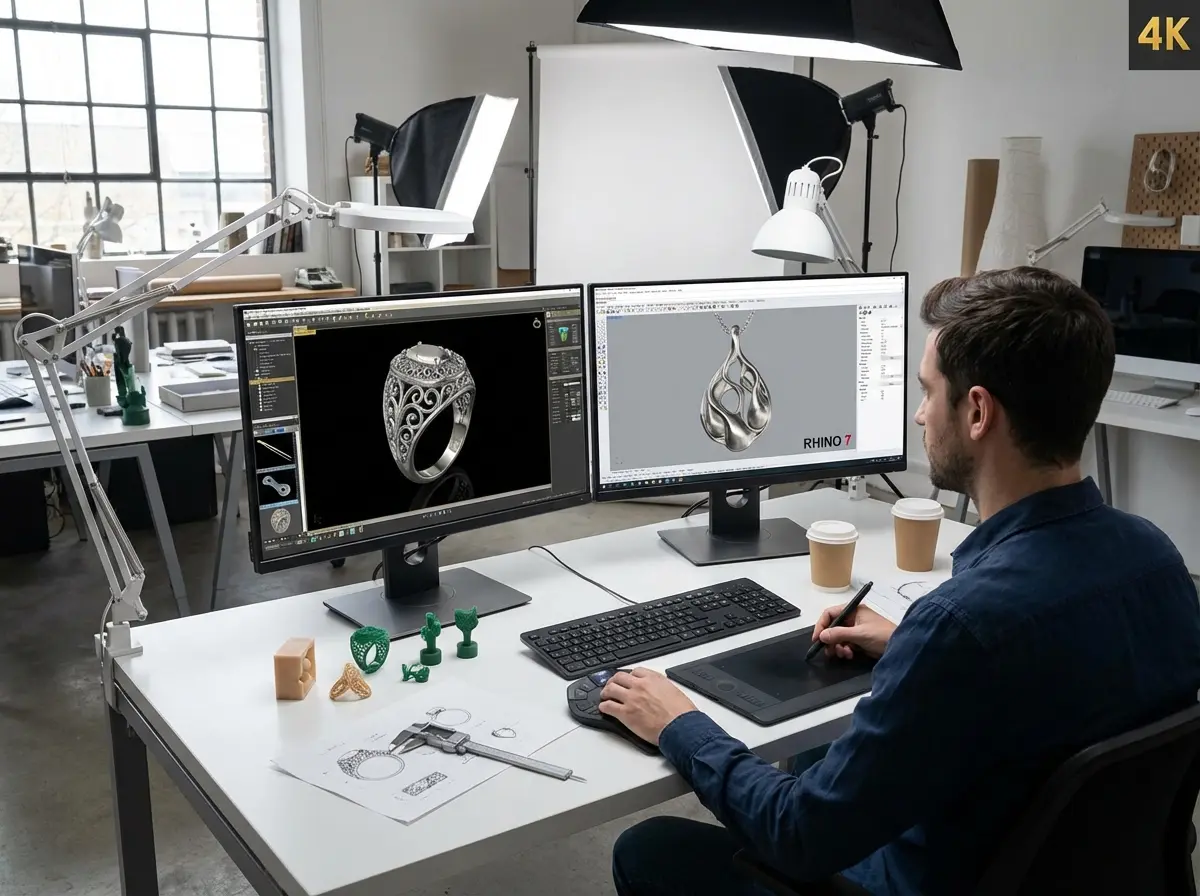
Strengths
- Speeds up concept development and revisions before sampling.
- Improves communication between designer, brand owner, and manufacturer.
- Makes customization easier across sizes, stones, and plating variations.
- Supports prototyping and 3D printing workflows with better accuracy.
- Helps reduce avoidable sampling mistakes and repeated manual corrections.
Considerations
- Software cost can be significant, especially for jewelry-specific platforms.
- Advanced tools still require training and production knowledge.
- A beautiful render does not guarantee a manufacturable design.
- Some teams choose software based on popularity rather than production fit.
How Royi Sal Fits Into the Workflow
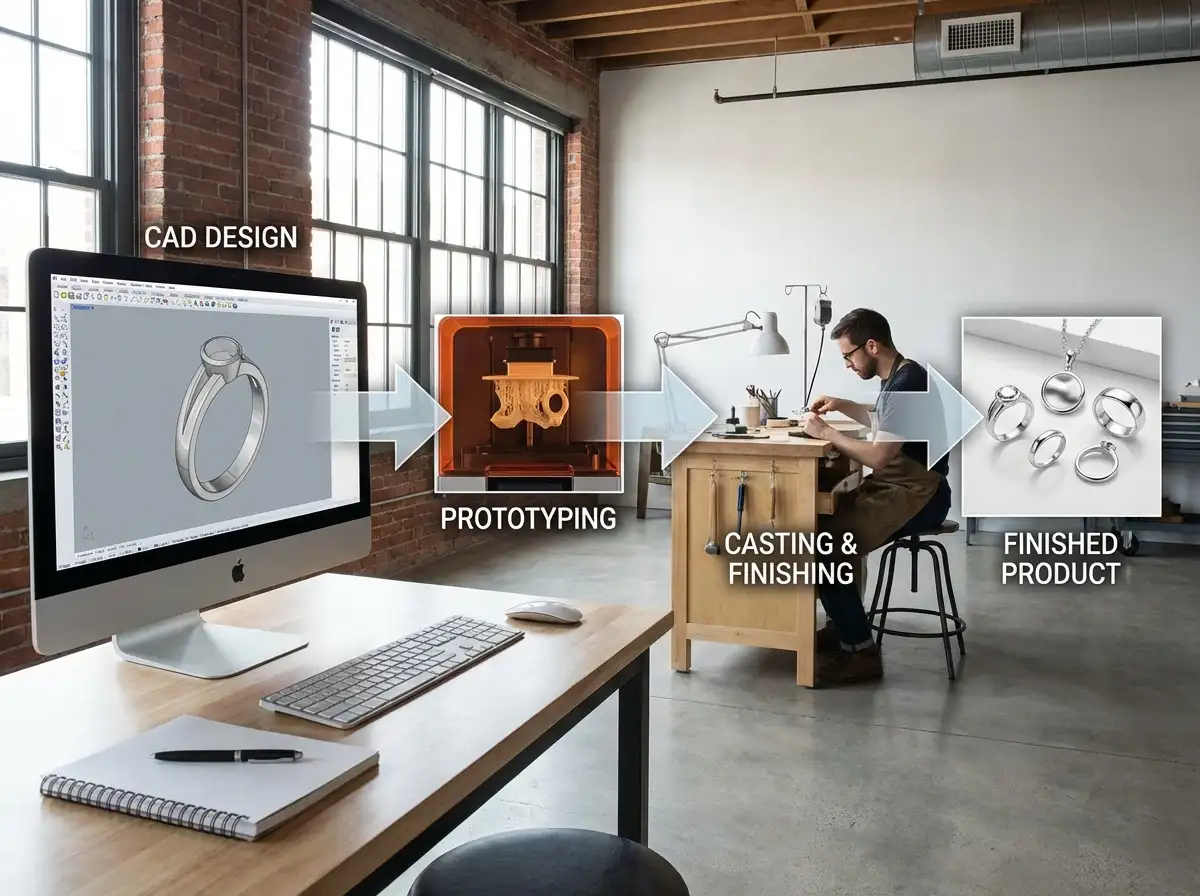
Software choice matters, but manufacturing translation matters just as much. A brand can design in Rhino, MatrixGold, Blender, or another platform and still run into issues if the model is not ready for casting, stone setting, finishing, or scale production. That is where a manufacturing partner becomes important.
At Royi Sal, we support brands through a connected development path that starts with design intent and moves toward production planning. You can explore our Services to see the broader support structure, review the Customer Journey to understand how a project progresses, and Contact Us if you want to discuss a specific CAD-to-sample workflow. We are strongest for B2B silver jewelry development and manufacturing, not retail orders, and lead times plus MOQ requirements apply. If you want design inspiration before development, our Jewelry Collections and Jewelry Catalog are also useful starting points.
How to Evaluate Jewelry CAD Software Before You Buy
The right software depends on what your business is actually trying to do. If you are building high-volume custom bridal, parametric stone-setting tools may matter more than sculpting freedom. If you sell trend-led fashion pieces, speed and rendering may matter more than engineering depth. That is why software should be evaluated against business workflow, not just feature lists.
Start with production fit. Can the software create clean files for casting, prototyping, and revisions? A model that looks good on screen but needs major repair before manufacturing will slow your team down. This is especially important if you rely on 3D printing or external sampling.
Next, look at jewelry-specific capability. Stone arrays, prongs, galleries, pavé tools, ring sizing logic, and weight awareness can make a major difference. General 3D software may still work, but it often asks your designer to build too much manually.
Then review training burden and hiring reality. A powerful platform is only valuable if your team can use it well. Ask how long onboarding will take, how easy it is to recruit operators, and whether freelancers or manufacturers commonly accept that file type.
After that, assess total cost. Do not stop at the license fee. Include training, hardware upgrades, plugins, rendering tools, maintenance, and lost time during ramp-up. Sometimes a higher software cost is justified because it saves weeks in revisions.
Finally, think about supplier compatibility. If your manufacturer regularly works with Rhino-based files, that can reduce friction. If you want more context on how tech is changing design decisions, see our article on technology jewelry design innovations shaping industry. If budget is a concern, this guide to 3d jewelry design software free can help you shortlist lower-cost starting points.
How Different Software Types Fit Different Jewelry Design Styles
Here’s the thing, many brands compare software title against software title when the more useful comparison is often software type against design objective. A tool can be excellent in one category and still be the wrong choice for your collection.
Solid and surface modelers are usually strongest for controlled geometry. If your product line includes signet rings, clean band structures, repeatable settings, or parts that need dependable numeric accuracy, this type of environment usually makes the most sense. It supports dimensions, symmetry, and cleaner adjustment when production constraints come into play.
Mesh and sculpting tools are often better for organic work. If your team designs pieces with creature forms, flowing silhouettes, carved textures, or highly expressive surfaces, direct sculpting can feel much faster and more natural. The tradeoff is that you may need extra cleanup before sampling or casting, especially when stone placement and tolerances become critical.
Jewelry-specific CAD sits in a different category because it is built around common industry tasks. Think of it this way: instead of manually building every prong, seat, stone array, gallery, or sizing variation, the software helps you move through those steps with more structure. That can save real time when your brand depends on repeatable settings, customization options, or collection-wide revisions.
What many people overlook is that some teams need more than one environment. A concept may begin in a sculpting tool, move into a precision CAD platform for correction, then go through final production checks before prototyping. If your brand develops both artistic statement pieces and repeatable commercial lines, one software category may not cover every need equally well.
What to Check Before Exporting a Jewelry CAD File for 3D Printing or Casting
Choosing the best 3D modeling software for jewelry design is only part of the decision. The reality is that file quality affects production results just as much as software choice. Before you export a model for printing, sampling, or manufacturing review, a few practical checks can prevent delays.
- Confirm wall thickness is realistic for the piece type and intended wear.
- Review stone sizes, seat spacing, and setting access before final export.
- Check for non-manifold geometry, open surfaces, or mesh problems that can break printing.
- Make sure small decorative details will survive casting, polishing, and finishing.
- Look at overall weight and hollowing decisions if cost and comfort matter to the product.
- Verify scale, units, and export format so the receiving team gets the file exactly as intended.
From a practical standpoint, this is where some teams discover that a flexible modeler still needs a disciplined review process. A beautiful render can hide weak prongs, inaccessible cleaning areas, excessive weight, or details that disappear after finishing. If your business relies on outside manufacturing, these checks are not optional. They are part of protecting your timeline and margin.
Can One Software Cover Your Full Jewelry Workflow?
Sometimes yes, often no. That answer is not a weakness in the software market. It is simply a reflection of how jewelry development works. Concept creation, parametric editing, rendering, technical correction, and production file preparation do not always happen equally well in one place.
For a small brand with a focused product category, one platform may be enough. If you mostly produce clean silver rings, pendants, or earrings with controlled geometry, a strong core CAD system can handle most of the process. If your work includes sculptural surfaces, frequent customer customization, and production-ready stone setting, you may end up combining tools or adding plugins over time.
Consider this: the best software is not always the one that does the most. It is the one that supports your actual handoff points. If your designer creates a concept easily but your sampling partner has to rebuild half the file, the workflow is not efficient. If your team can revise sizes and stones quickly but struggles to present polished visuals to buyers, that is also a workflow gap.
For most growing brands, the smarter question is not “Which software does everything?” It is “Which setup helps us move from design to sampling to repeat production with the least friction?” That perspective usually leads to a better software decision.
Frequently Asked Questions
What is the best 3D jewelry design software overall?
For many professional jewelry businesses, MatrixGold is the strongest overall option because it combines Rhino’s modeling foundation with jewelry-specific tools. That said, the best choice still depends on your workflow. Rhino alone may be enough for flexible studios, while 3Design may be stronger for parametric customization and collection variation.
Is Rhino good enough for professional jewelry design?
Yes, Rhino is good enough for many professional teams and is often one of the smartest investments for brands that want versatility. Its main limitation is that it is not jewelry-specific by default, so some workflows take more manual work compared with MatrixGold or 3Design. Still, many experienced jewelry CAD users rely on it successfully.
What software do manufacturers usually prefer?
Many manufacturers are comfortable with Rhino-based workflows because Rhino files are widely used and flexible. Some also work well with MatrixGold outputs or other export formats like STL and 3DM. The key is not only software brand but model quality. Clean geometry, realistic tolerances, and production-aware detailing matter more than marketing claims.
What is the best free 3D modeling software for jewelry?
Blender is usually the best free option if you want real modeling power. It is much stronger than beginner-only tools, but it still lacks many jewelry-specific functions. Tinkercad is easier to start with, but it is too limited for most serious jewelry business use. Free tools are best for learning or early concept work.
Which software is best for custom engagement rings?
MatrixGold and 3Design are both strong choices for custom engagement ring workflows because they handle stone settings, ring structures, and size-related edits well. If your business offers customer personalization at retail level, CounterSketch may also be useful. The right choice depends on whether you need full CAD freedom or guided customization.
Do I need jewelry-specific software for 3D printing jewelry design?
No, but it often helps. General tools like Rhino, Blender, or Fusion can produce printable files, yet jewelry-specific software makes many common tasks faster and more accurate. If you frequently design prong settings, pavé surfaces, or ring families, dedicated jewelry tools usually save time and reduce production corrections before printing and casting.
How do I choose software for a small jewelry brand?
Start with your product type, budget, and internal skill level. If you need affordability and flexibility, Rhino is often a strong first serious choice. If budget is very tight, Blender can help you test ideas. If you need production-heavy bridal or customization workflows, a jewelry-specific platform may justify the extra cost sooner than expected.
Can Royi Sal work with designs created in different CAD programs?
Yes, the important issue is whether the files and models are production-ready, not whether they came from one specific software brand. If you are planning custom jewelry development, it helps to align early on file type, design intent, dimensions, and stone details. You can also review How Use CAD Technology Faster Jewelry Prototyping for a related workflow view.
How important is trend forecasting when choosing design software?
It matters more than many teams think. Software affects how quickly you can respond to trend shifts, test variations, and present new collections. If your business is trend-driven, look at tools that support quick iteration. Our article on jewelry trends watch 2025 key design elements year is useful if you plan around seasonal direction.
What should I review before sending a CAD file to manufacturing?
Check wall thickness, stone dimensions, tolerances, wearability, assembly logic, and finishing impact before you send files. A polished render is not enough. It also helps to review sample workflow expectations. For a practical example of digital development in action, see Royi Sals 3D Sampling Workflow.
What type of jewelry software is best for organic or sculptural designs?
Sculpting and mesh-based tools are often a better fit for organic jewelry because they make it easier to shape fluid surfaces, carved textures, and irregular forms. The tradeoff is that these models may need more technical cleanup before production. If your collection mixes sculptural aesthetics with precise settings, many teams combine an artistic tool with a more production-oriented CAD platform.
Is one CAD program enough for a growing jewelry brand?
Sometimes, but not always. A focused brand with simple product architecture may work efficiently in one platform for a long time. A growing brand with customization, multiple product categories, or both concept-heavy and production-heavy workflows may eventually need a broader setup. What matters most is how well your files move through revision, sampling, and manufacturing.
What file issues cause the most problems in jewelry production?
Common issues include open surfaces, weak wall thickness, unrealistic stone tolerances, excessive weight, and details that look good in renders but disappear after casting or polishing. Wrong units and inconsistent export settings also create avoidable delays. Good software helps, but careful file review is what protects production quality.
Methodology
This ranking is based on practical B2B criteria rather than hobbyist popularity alone. I looked at jewelry-specific functionality, production usefulness, flexibility for custom jewelry design, learning burden, cost positioning, and fit for brand owners or design teams working toward manufacturing. I also considered how well each tool supports revisions, stone-setting workflows, prototyping, and communication with suppliers. Programs ranked higher here are not always the easiest. They rank well because they are more likely to support reliable commercial jewelry development, especially when your goal is to move from concept to sample to repeatable production.
Key Takeaways
- MatrixGold is the strongest all-around choice for professional jewelry-first CAD.
- Rhino offers one of the best balances of flexibility, capability, and cost.
- 3Design is especially strong for parametric customization and repeatable collections.
- Free tools like Blender are useful starting points, but often not ideal long-term production platforms.
- Your software choice should match your manufacturing workflow, not just your design preferences.
Conclusion
The best 3D jewelry design software is not the one with the longest feature list. It is the one that helps your brand move from idea to sample to production with the fewest costly surprises. For many professional teams, MatrixGold, Rhino, and 3Design will be the most serious shortlist. For early-stage brands, Blender may be enough to begin. Whatever platform you choose, the real test is how well your files translate into manufacturable jewelry. If you are developing a collection and want a practical partner to review production feasibility, explore Royi Sal’s services and get in touch with our team. We are happy to discuss design workflow, sampling, and how to turn CAD into market-ready pieces.




Responses (0)